
01 / FOREX
From risk to lot size.
Enter your account balance, risk, entry and stop loss. Review lots, units and pip information for supported instruments.
Explore Forex calculationsTurn your balance, risk and stop loss into a clear position size. Three calculators. One place to check your setup.
Available for iOS and Android · Free manual calculations
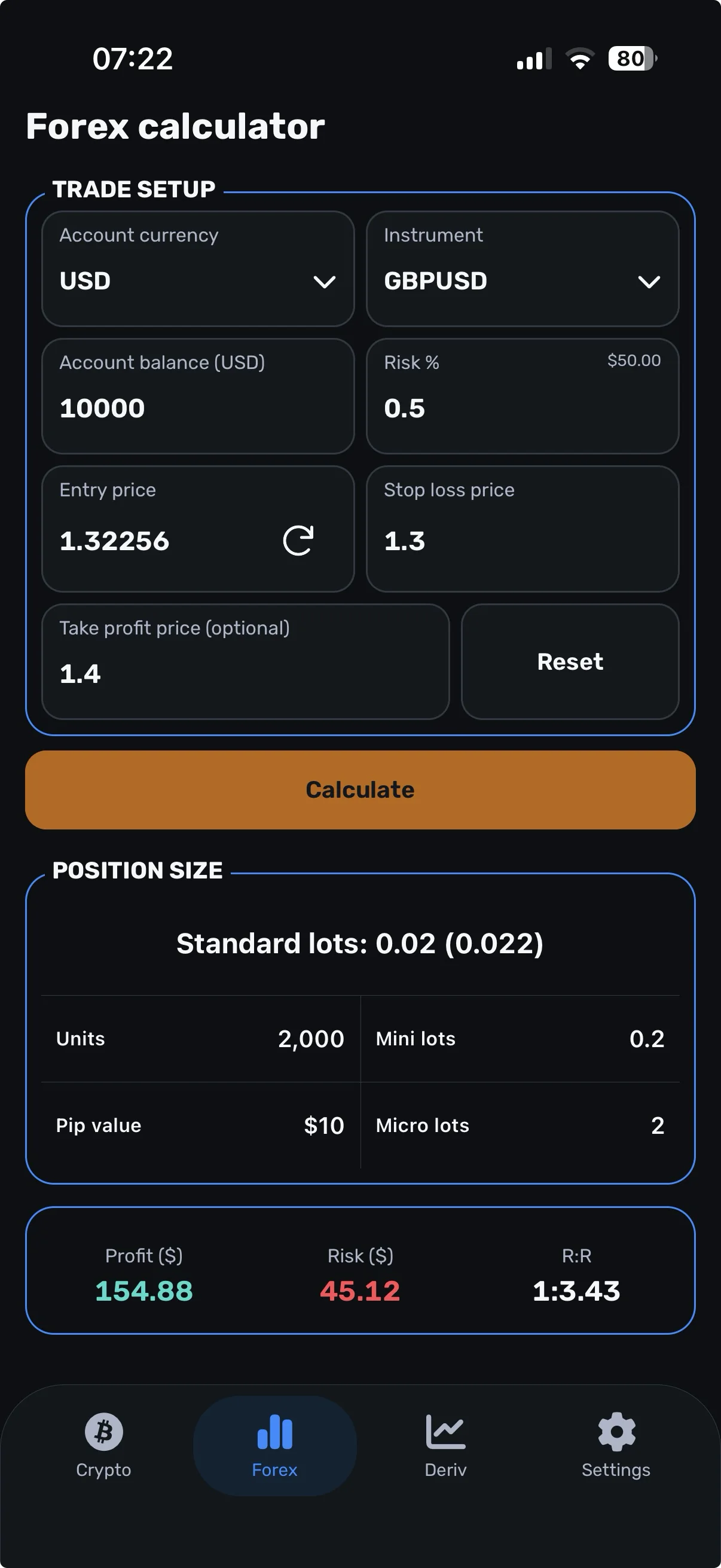
Each calculator gives you the results that matter for that market.
Enter your account balance, risk, entry and stop loss. Review lots, units and pip information for supported instruments.
Explore Forex calculationsEnter your capital and price levels. See position value, quantity and estimated leverage with an explanation of the estimate.
Explore Crypto calculationsCalculate lots for supported synthetic indices. Review the instrument’s tick value and check its specifications before trading.
Explore Deriv calculationsChoose your risk and stop loss. Let the calculation help you work out the size.
Understand the numbersOpen Forex, Crypto or Deriv and select a supported instrument where required.
Add balance or capital, risk, entry and stop loss.
Tap Calculate. Check your position size against your broker or exchange specifications.
Use optional take profit to compare potential reward with planned risk.
Position size is how much you trade. Risk amount is the planned loss at your stop loss. Margin is collateral for a leveraged position.
Seeing the difference helps you read the setup before taking the entry.
See the worked exampleExample: entry 100,000 USDT, stop 99,000 USDT. Assumes a linear contract and excludes fees, slippage and execution differences. This is an explanation, not a trade recommendation.
The same calculation goal, with the inputs that fit your workflow.
Choose light or dark mode to suit how you use your phone.
Balance or capital, risk, entry and stop loss in a clear setup.
Additional supported inputs and instrument settings, including risk amount and stop distance for Forex and Deriv.
Use Forex, Crypto and Deriv with manual inputs. Optional Premium benefits are shown in the app when available.
It helps calculate Forex lot sizes, crypto position value and quantity, and lots for supported Deriv instruments. Enter your balance or capital, risk, entry and stop loss, then tap Calculate to review the result.
All three calculators and manual entry are available free. Optional Premium benefits are shown in the app when subscriptions are available.
No. Use the result to check your setup, then place any trade through your broker or exchange.
Use supported instruments and check the relevant contract specifications. Lot sizes, tick values, account-currency conversions and trading limits can vary between providers.
Market quotes are reference prices. Your order may execute at a different price. Network availability, spread and market movement can affect what you see.
Live prices, some instrument information and currency conversions require internet access. Subscription purchase and verification also require a connection. Manual price entry does not make every function available offline.
Enter your setup, calculate your position size and review the result before placing the trade.